
Live television
General-interest live channels arranged by country and language, with an electronic programme guide so you can see what is on now and next.
Channels & content
Live channels, films and series are grouped into categories inside one interface. This page describes those categories honestly, including where availability varies.
Once your credentials are loaded, the player app presents three broad areas: live television with a programme guide, an on-demand film library, and series grouped by season. Categories sit inside those areas so you can narrow down without scrolling through everything.
Exactly which channels and titles appear depends on your region and on what the source makes available at the time. That is normal for internet television and it is the reason we encourage you to ask about anything specific before subscribing, rather than assuming it is included.
We deliberately do not list individual broadcasters, sports leagues, studios or premium channel brands on this website. Naming them would imply distribution rights and continuous availability that we cannot promise. Ask us about a particular interest and we will tell you plainly what is and is not available.
Categories
Eight groupings that cover the majority of what customers watch.
General-interest live channels arranged by country and language, with an electronic programme guide so you can see what is on now and next.
An on-demand film library organised by genre and release period, browsable from the same interface as live channels.
Episodic titles grouped by season so you can continue where you left off rather than searching for individual episodes.
Lifestyle, music, comedy and general entertainment programming for casual evening viewing.
Rolling news and current-affairs channels from several regions, useful if you follow more than one country.
Factual programming across history, nature, science and travel, including longer-form series.
Sport channels are grouped together with the guide so you can find scheduled fixtures. Availability varies by region and by what the source provides.
Channel groups in a range of languages, which is the usual reason customers move from a single-country package to IPTV.
Presentation
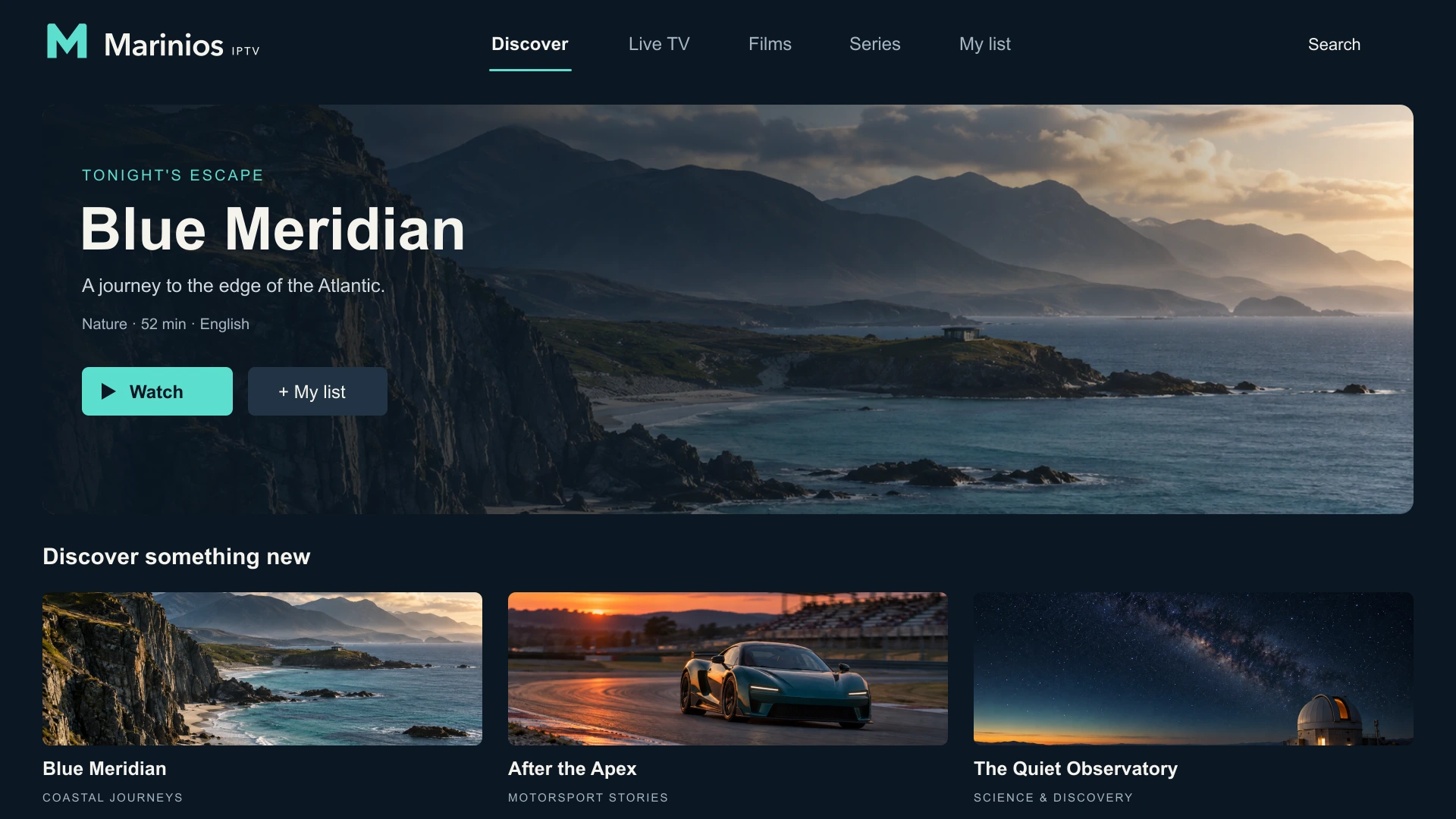
Each on-demand entry carries artwork, a category and a running time. The three examples below are original concepts created to illustrate the layout.

Documentary series
A coastal nature series, shown here as an example of how on-demand titles appear in the guide.

Motorsport feature
An example of how sport and motoring programming is presented with artwork and episode details.

Science documentary
An example of a factual title card, with the category and running time shown before you open it.
“Blue Meridian”, “After the Apex” and “The Quiet Observatory” are fictional programme concepts created for this website. Their artwork and titles are illustrations of the interface and do not indicate that those titles exist in a catalogue.
An electronic programme guide, or EPG, shows what is on now and next for each live channel. It is what makes a long channel list usable: you can see the schedule instead of flicking through to find something.
Where the source provides catch-up, the guide also lets you open a programme that has already aired. Catch-up depth differs between channels, so treat it as a useful extra rather than a guarantee for every channel.
The screen shown here is an original illustration created for this website, not a screenshot of a Marinios application.
Browse the available subscription options, or message our team for help choosing a plan and setting up your device.